Snagging Free Apex Legends Loot with Prime Gaming: A 2026 Guide
Back in 2022, Apex Legends players who had a Twitch Prime (now Prime Gaming) subscription were treated to an exclusive Valkyrie Deep Dive Bundle. This underwater-themed collection turned heads with its metallic nautical aesthetic, making Valkyrie look like she'd just crawled out of Rapture—barnacles and all. Fast-forward to 2026, and while that exact bundle is long gone, Prime Gaming still drops free goodies for the battle royale crowd on the regular. The process of claiming these rewards hasn't changed much, so let's break it down step by step, using the classic Deep Dive Bundle as our blueprint.
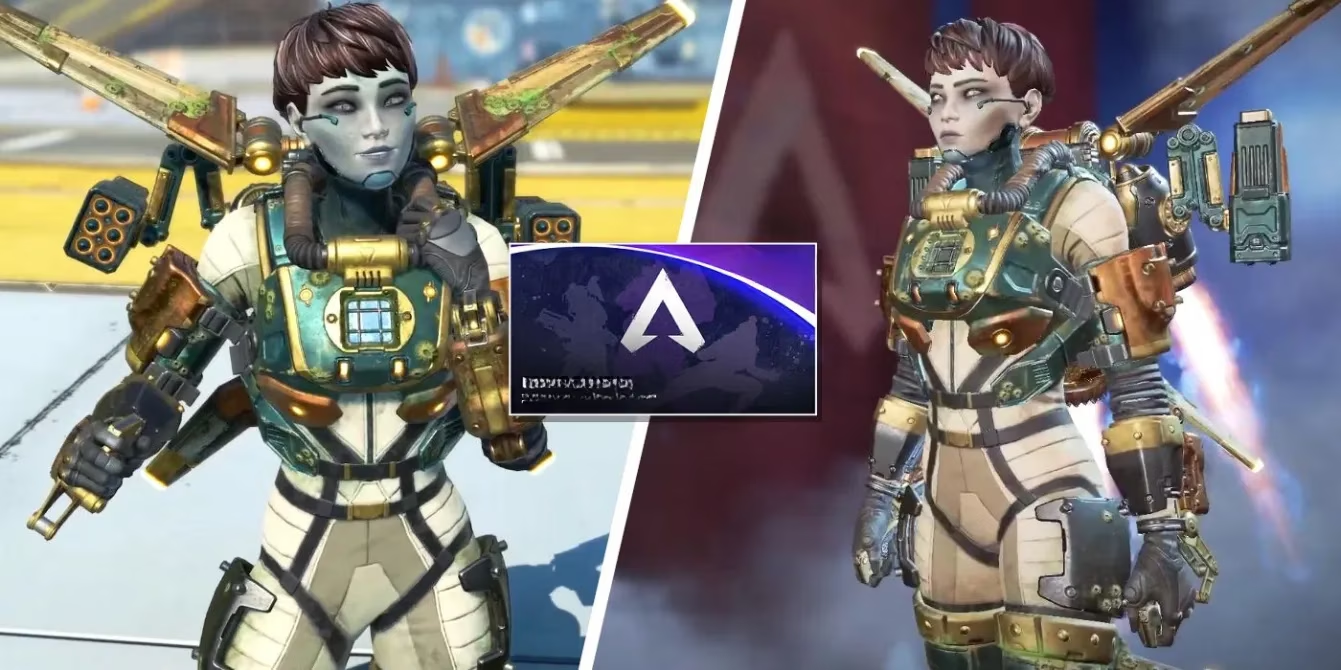
First things first, you've got to be a Prime Gaming subscriber. Since Amazon and Twitch are joined at the hip, your regular Amazon Prime membership automatically grants you Prime Gaming perks. Seriously, if you're already binging Prime Video and getting those sweet, sweet two-day deliveries, you've been sitting on free Apex loot without even knowing it. Don't leave money on the table—or, you know, free skins on the digital shelf.
Here's the kicker: many players miss out simply because they don't know where to look. The claiming process is dead simple once you get the hang of it. Fire up your browser, head over to Twitch, and sign in. Look at the top-right corner of the screen for a crown-shaped icon—that's your portal to the Prime Loot dropdown. Click it and you'll see a revolving door of freebies across multiple games.
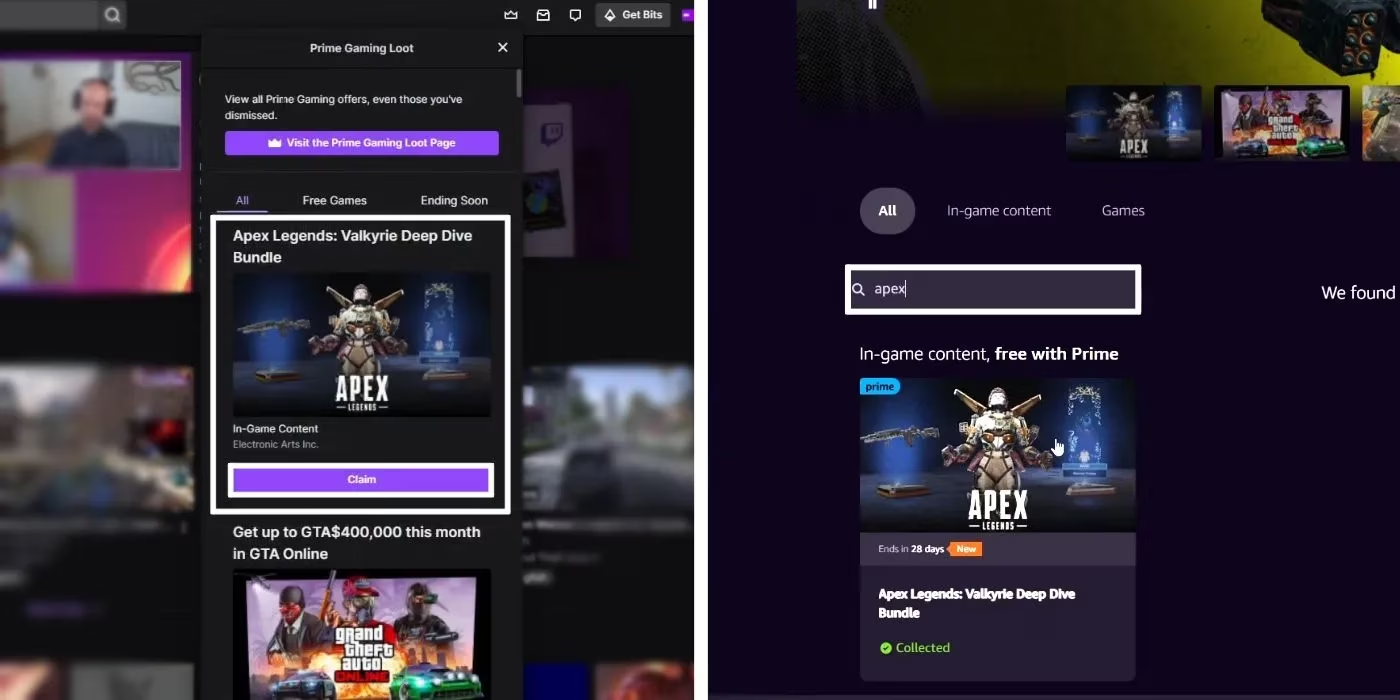
Now, if this is your first rodeo, you'll be prompted to link your Amazon account right then and there. Do it on the same browser, and the connection happens almost telepathically. The weekly or monthly Apex drop typically hangs out in the first few slots of the Prime Loot window. Spot your prize? Hit that "Claim" button and revel in your victory. Still, sometimes the algorithm plays hard to get, and the bundle might not show up immediately. No sweat. Click the "Visit the Prime Gaming Loot Page" button at the top of the window, punch "Apex" into the search bar, and the specific bundle should pop up, ready for you to snag it.
Let's talk technical hiccups, because even in 2026, the internet can still be a fickle beast. The most common head-scratcher is a broken connection between your gaming platform and Twitch. Whether you're on Steam, Origin (or the EA app, as it's now firmly called), PlayStation, Xbox, or Switch, that link needs to be solid. Dig into your Twitch settings by clicking your profile icon in the upper-right corner, selecting "Settings," and scrolling down to "Connections." Make doubly sure the platform you actually play Apex on shows up as linked. For Steam diehards, that means your Steam account is connected; for console warriors, it's your PlayStation or Xbox network. If it's not linked, the bundle will vanish into the void, and nobody wants that.
Once the stars align—account linked, bundle claimed—boot up Apex Legends. You'll be greeted by a Prime Gaming confirmation window, which is the game's way of giving you a virtual high-five. Check your Legends inventory, equip that fresh skin or weapon charm, and get back to the action. ✅
Remember, these Prime Gaming drops are always time-limited, so the "I'll get to it later" attitude can bite you. Set a reminder on your phone, or just make a habit of checking the Prime Loot page every couple of weeks. The only thing better than winning a gunfight is looking ridiculously cool while doing it. And if you're not a Prime member yet? Well, maybe it's time to sweet-talk a friend with an account. Happy looting, Legends!
Apex Legends is available on PlayStation 4, PlayStation 5, Xbox One, Xbox Series X|S, Nintendo Switch, and PC.